
Why I Moved My Client Sites from ManageWP to Modular DS
This fall I changed that tool. I moved my client sites from ManageWP to Modular DS, and I thought I’d share why, what the move looked like and what I learned along the way. If you’re a freelancer or a small agency weighing the same decision, I hope it saves you some time.
Full disclosure: I chose to become a Modular DS affiliate, so if you sign up through a link in this post, you’ll be getting access to an exceptional platform and I may earn a commission. Modular DS also added the white label plugin feature to my plan in exchange for writing about my experience. Everything below, the good and the not-so-good, is my own experience.
Why I started looking
ManageWP served me well for years. But two things kept nagging at me.
- Cost. As my client list grew, so did the bill. I was paying around $42 to $45 a month, and I still hadn’t turned on some features because I didn’t want those add-ons stacking up.
- Time. My updates were manual. Each client agreement sets an update and backup frequency, and I kept track of it all with recurring Todoist reminders for every one of them. It worked, but it also meant more time spent on maintenance tasks with more clients. That meant less time to take on new projects.
I’ll be honest: I’ve been wary of unattended, scheduled updates. If an update breaks a site at 2 AM and I’m not there, that’s my client’s business on the line. What I really wanted was for updates to run on their own, with me stepping in only when something breaks, without giving up any reliability.
What I tried
One of the things I was looking for in a management tool was connectivity to the AI tools I’m using. I found several that seemed to fit the bill and proceeded to give them a try.
I set up a free MainWP account first. They had recently announced connectivity via Model Context Protocol (MCP), which is how most apps and platforms are giving access to AI chatbots and other tools, like Claude Cowork or OpenAI’s Codex. MainWP requires you to set up a WordPress install on your own host, and then install their plugin/theme to run within that environment. Getting up and running was simple enough, but I found the interface to be cluttered and even a bit overwhelming and confusing in places. I connected one site but didn’t end up spending too much time digging in because I just didn’t like the interface.
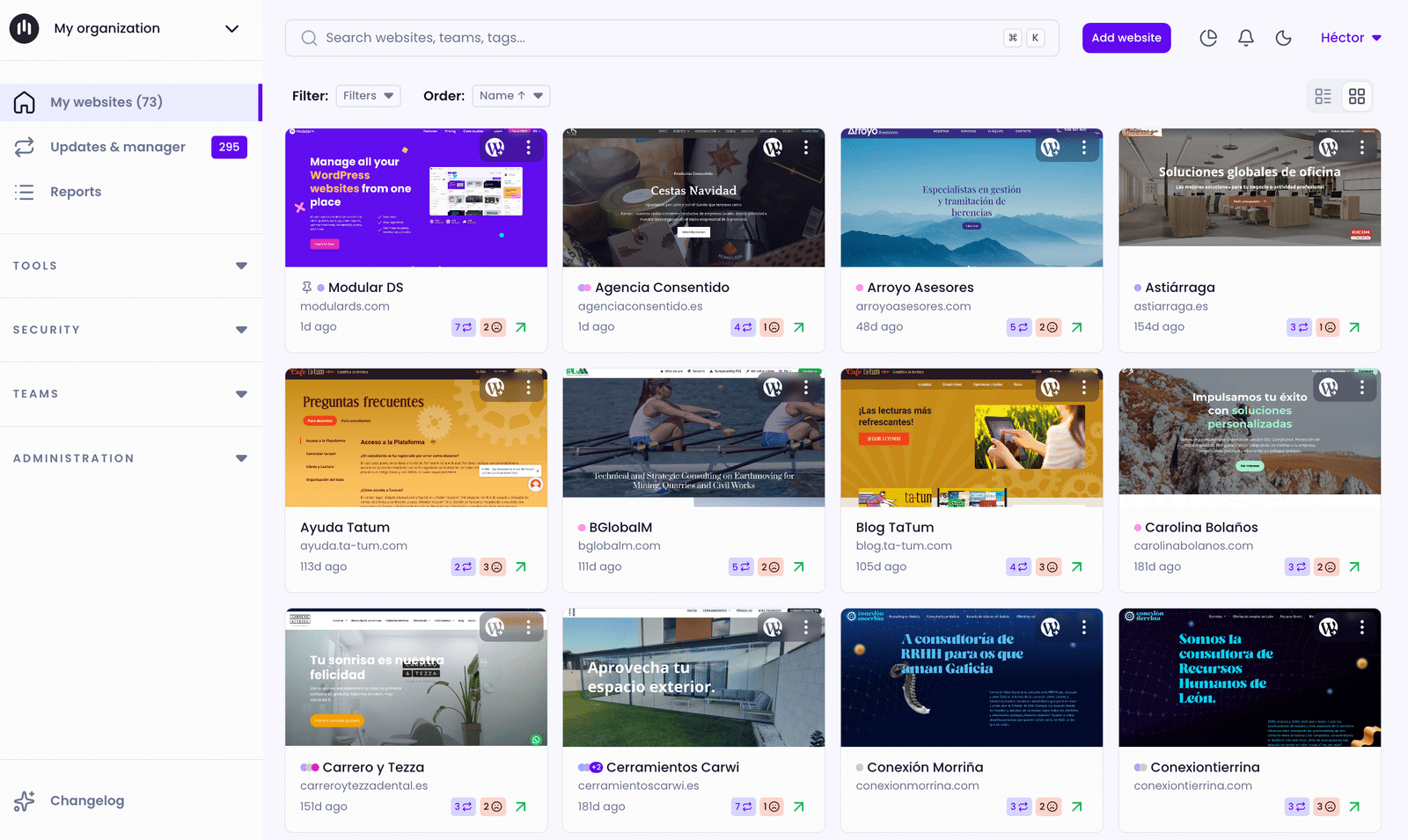
Then I started a Modular DS trial in October and connected my client sites. They, too, advertise an MCP for connecting to your AI of choice. The interface is much less cluttered, clean even, and intuitive. Getting things set up and performing tasks was relatively straightforward. I was actually using it to run safe updates, vulnerability checks, database optimizations, and more with little more than a click or two and a quick read of the short description on the page or by watching the embedded tutorial videos on most of the main function pages. Partway through, I asked for a trial extension so I could watch the automated jobs run for a while before committing. They gave it to me without any fuss.
Why I chose Modular DS
- The features I need are part of the plan. Safe updates (a backup before, a check after and a rollback if something fails), uptime monitoring, vulnerability alerts, malware scans, broken link checks and a monthly website care report. With ManageWP, several of those were add-ons I’d been avoiding.
- The price fits. With ManageWP, I was averaging about $42/month. With Modular DS, I’m on the Starter plan at $40/month. Not a big savings, but still a savings because I now have more features for a lower price. Plus, at some point, I’ll switch to the annual plan and save about $72/year.
- White label. This was the big one for me. I use white label on every site I manage, so care reports come from my brand, not a software company my clients have never heard of. Modular DS normally reserves it for higher plans, and it was the thing holding me back until they added it to my account. UPDATE: To clarify, white label reports are included on all plans. Being able to white label the plugin with my name/brand is only available on Business and Enterprise plans. This is what was added to my Starter plan in exchange for this post.
- Real people answer support. During my trial I hit a few problems (more on those below). Every time, a human replied, explained what was going on and followed up. One of the founders even replied to me personally.
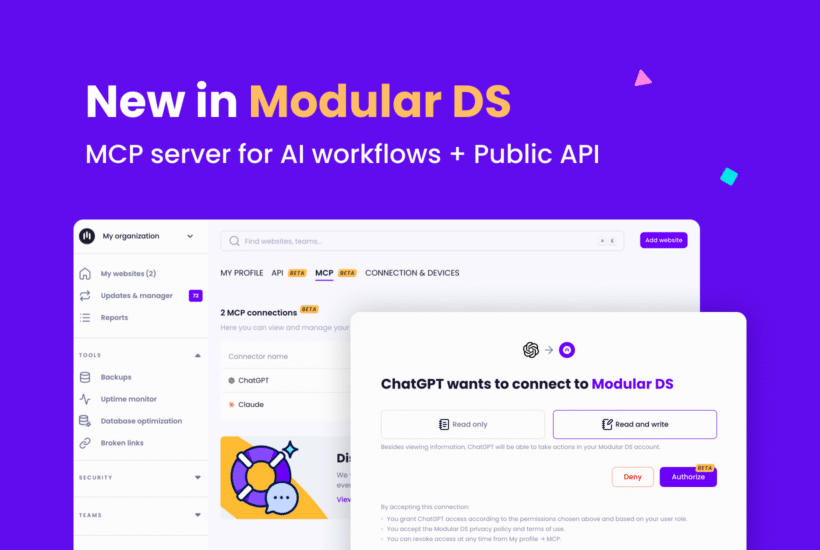
- It works with AI. Modular DS can connect to Claude (or any AI using MCP), which means I can ask for a check-up across all my sites in plain language instead of clicking through every dashboard. I can also ask Claude to perform certain tasks through Modular DS, as well.
What the migration involved
If you’re planning your own move, here’s roughly how mine went.
- Connect each site. Install the Modular DS connector plugin on each WordPress site and link it to your account.
- Set backups to match each client’s plan. Every new site starts on monthly backups. I only move a site to weekly or daily when that client’s plan includes it.
- Turn on automated updates with safe update. This is the part that saves me the most time.
- Set up uptime monitoring. If you get false downtime alerts, check whether your host is blocking Modular DS’s monitoring servers. Their help center explains how to fix it.
- Run both tools side by side for a while. I didn’t cancel anything until I trusted the new setup. In fact, as I write this, I haven’t canceled my ManageWP account yet. But I will be doing that before the next billing cycle hits.
- Switch client reports over to white label once everything is reporting correctly.
The honest caveats
No tool is perfect, and you deserve the full picture.
- Very large databases. One of my larger online store sites never completed a backup during my trial. Support traced it to a single database table over 3 GB that takes too long to compress, so the server stops the process. Their workaround is to exclude that table, and they’ve told me a fix is coming with an upcoming overhaul of their backup system. Until then, I back that site up a second way. UPDATE: As of now, it looks like it may be working, but I’m going to give it a few more weeks to make sure.
- Cache clearing. Modular DS can clear cache after updates, but it doesn’t work with my host’s caching yet, so I still clear it by hand. I host with BigScoots (affiliate link).
- False downtime alerts. Early on I got downtime alerts for sites that weren’t actually down. The cause was on the hosting side, and the fix was simple once I knew.
- Early hiccups. Modular DS had a backup system issue during my trial. They told me about it, fixed it and retried the backups.
Who Modular DS is right for
- Freelancers and small agencies who manage a handful to a few dozen sites and want updates, backups, monitoring and security in one place.
- Anyone who needs white label and doesn’t want to jump to an enterprise price to get it.
- Not yet, maybe, if most of your sites are very large stores with huge databases. Test your biggest site first during the trial.
My one piece of advice: use the whole trial. Connect your biggest, messiest site on day one, let the automated jobs run, and ask support questions early. You’ll know quickly whether it fits.
What this means for my clients
If I take care of your site, nothing changes for you except, maybe, a nicer looking monthly report. I’m still the one watching your site, and I still step in when something needs a person. I see myself as your partner, not just a vendor, and this change lets me spend less time clicking update buttons and more time on the work that actually moves your business forward.
Thinking about making the switch yourself? You can try Modular DS here: https://modulards.com/?fpr=koinology
Rather not think about any of this? That’s exactly what my care plans are for. https://fantastical.app/wkeving/free-consult-call
0 Comments